
Zapier Ready Integration
Set up a lead workflow, connect the correct Britixo workspace and verify each result. Follow the guides in order, or filter by the task or question you need.
Prepare and verify a lead workflow
Find the connection panel, review lead mapping and learn what to check in one controlled test.
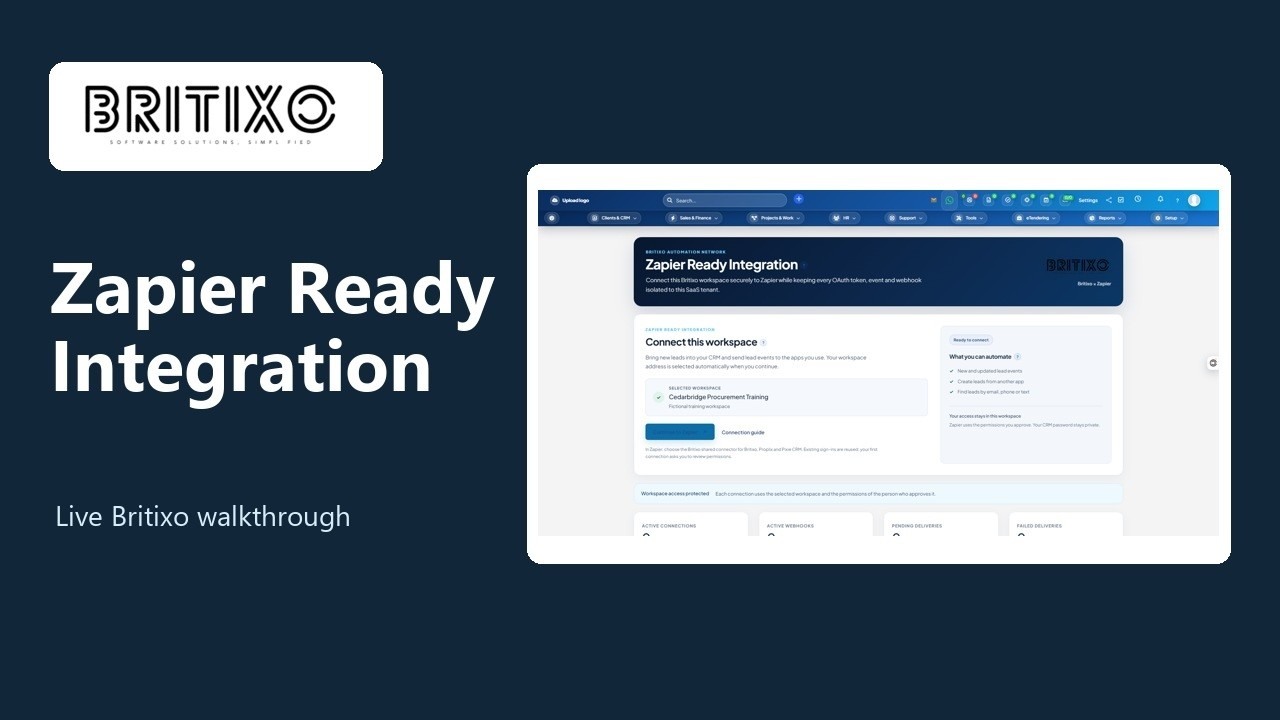
Open Zapier Ready Integration in your CRM and choose Continue to Zapier. Your workspace address is selected automatically. Britixo is the shared connector for Britixo, Proplix and Pixie CRM. The app is currently private; public directory publication requires Zapier approval.
Start with the overview →Zapier Ready Integration: start here
Understand Zapier Ready Integration in Britixo: supported lead workflows, workspace access, connection requirements and checks before live use.
Read the guide →Client guideFind the Zapier integration screen
Find Britixo Zapier Ready Integration, connect the selected workspace and review connection, webhook and delivery controls.
Read the guide →Client guidePrepare accounts and access for Zapier
Check the accounts, permissions, lead settings and rollout responsibilities needed before connecting Britixo to Zapier.
Read the guide →Client guideLet the CRM select your workspace automatically
Connect the correct Britixo company without copying a workspace URL, and understand custom domains and separate company connections.
Read the guide →Client guideConnect a workspace to Zapier
Follow the approved Britixo Zapier connection flow, review consent and verify the selected workspace before creating live automations.
Read the guide →Client guideUnderstand Zapier permissions and consent
Understand identity, lead and webhook permissions in Britixo and what happens when staff access or connection authorisation changes.
Read the guide →Client guideSend new and updated lead events to Zapier
Configure New Lead and Updated Lead triggers for Britixo, verify live events and understand scheduler and change-detection behaviour.
Read the guide →Client guideCreate a CRM lead from a Zap
Map a Zapier action into a Britixo lead, choose valid source and status values and verify the saved record before enabling live intake.
Read the guide →Client guideFind a lead before taking action
Search Britixo leads by email, phone or text from an approved Zapier workflow and handle missing or multiple matches deliberately.
Read the guide →Client guideMap lead fields, sources and staff correctly
Check the lead fields supported by the Britixo connector, workspace-local IDs, value lengths and mapping choices before publishing a Zap.
Read the guide →Client guideTest and publish a Zap safely
Run a controlled Britixo Zapier pilot, check both ends of the workflow and establish monitoring and a pause procedure before live use.
Read the guide →Client guideUnderstand queued events, retries and delays
Read Britixo webhook delivery statistics, understand retry behaviour and investigate delayed or failed events without blindly repeating writes.
Read the guide →Client guidePrevent duplicate leads and automation loops
Design Britixo Zapier workflows that check existing records, avoid uncertain replays and do not feed new leads back into an endless loop.
Read the guide →Client guideRefresh or reconnect an expired connection
Understand Britixo connection expiry, rotating refresh credentials and when to retest or reconnect an approved Zapier app.
Read the guide →Client guidePause, disconnect or hand over a Zapier workflow
Pause Britixo automations, arrange connection revocation and transfer ownership without confusing Zap deletion with CRM data deletion.
Read the guide →Client guideResolve Zapier connection and lead errors
Work through Britixo Zapier workspace, authorisation, validation, rate-limit and delivery errors using safe checks and useful support evidence.
Read the guide →Client guideControl the data shared through Zapier
Review what the Britixo Zapier connector reads and sends, limit destination data and manage access, credentials and retention responsibly.
Read the guide →Client guideCheck supported actions and operating limits
Check the current Britixo Zapier connector scope, action boundaries, search limits, delivery behaviour and features that need separate integration work.
Read the guide →Client guidePrepare a useful Zapier support request
Give Britixo support the right workspace, run references and verification details while keeping customer data and credentials out of the request.
Read the guide →Integrator referenceZapier connector API reference for integrators
Use the current Britixo lead API, OAuth and REST Hook contracts through an approved integration, with the correct methods, scopes and boundaries.
Read the guide →Client guideZapier Ready Integration: common client questions
Find practical answers about Britixo Zapier availability, setup, costs, lead workflows, ownership, privacy, delays and support.
Read the guide →Need a hand with your setup?
You do not need developer knowledge to ask for help. Tell the team which company you use, what you tried and what appeared.
Prepare a useful support request →